The AI keyboard for real conversations
Txtor Ai lives inside your keyboard. Read the chat, pick a vibe, tap a reply — without ever leaving the conversation you're in.
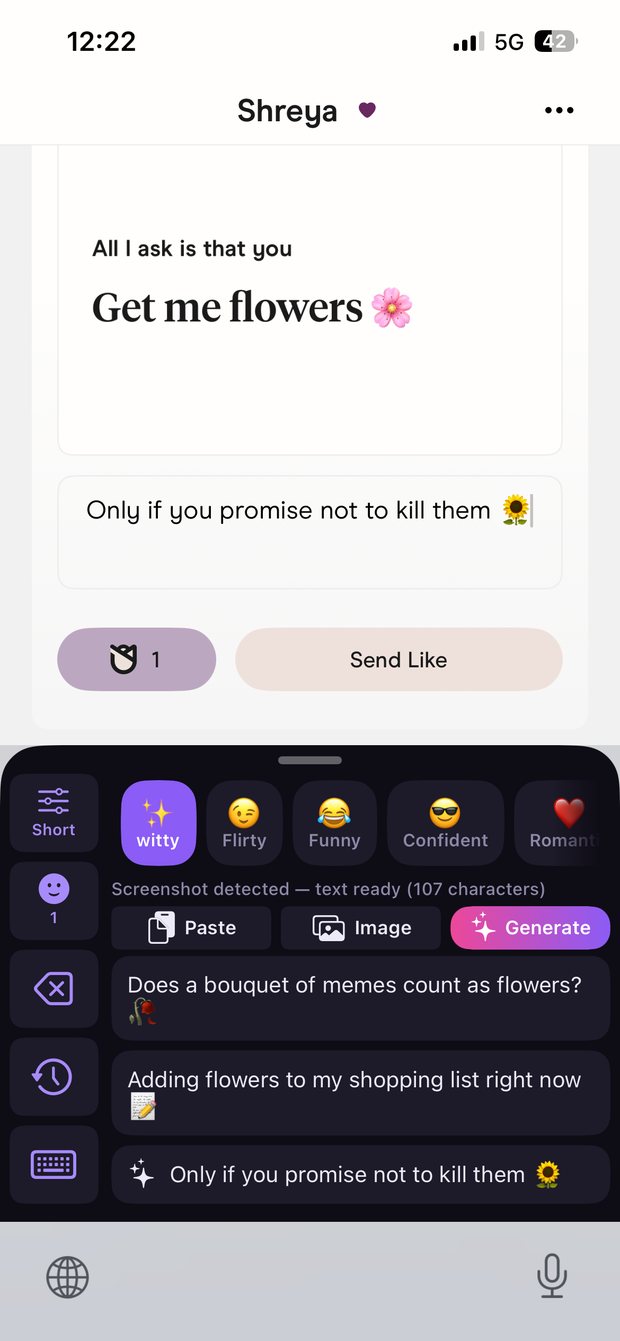
Works wherever you already type
The moment
Why Txtor Ai
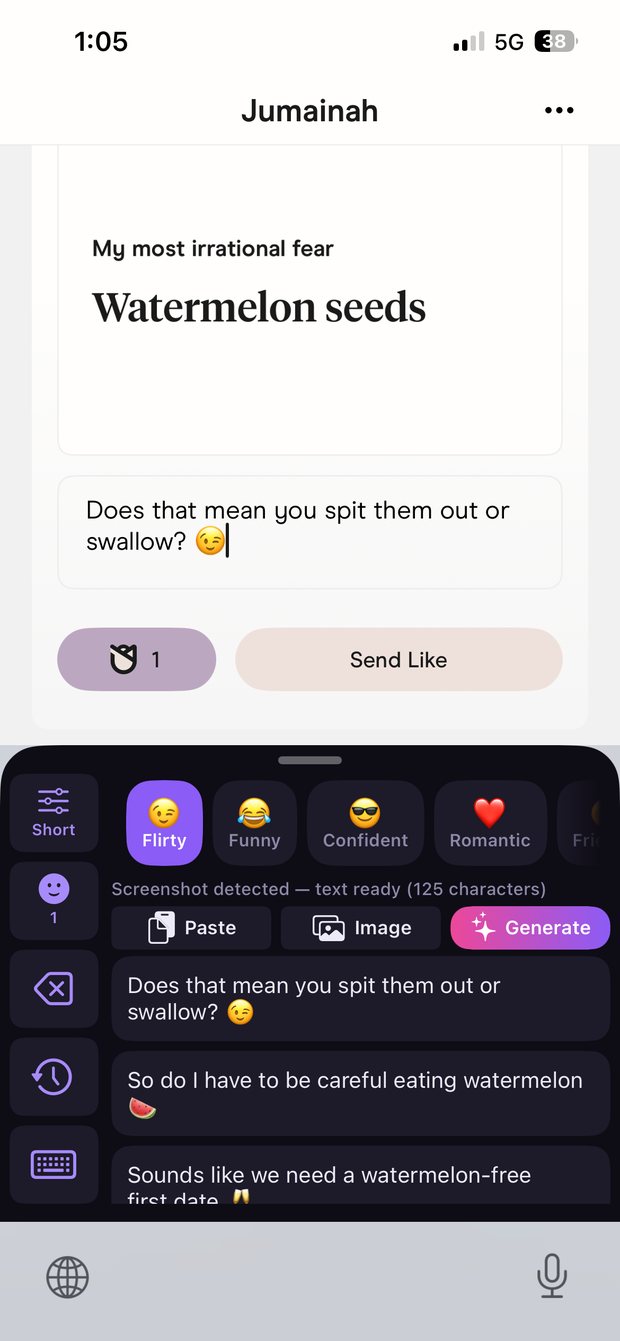
Almost every other AI reply app makes you leave the chat: screenshot it, switch apps, paste it in, copy the answer, switch back, hope the moment hasn't passed.
Txtor Ai is a keyboard. It's already open when you're typing. There is nothing to switch to.
Same as always — you're already in the chat.
It reads the whole conversation, not just the last line.
It drops straight into the message box. You edit it, you send it.
The difference
Every other AI reply app is a place you go. Txtor Ai is already open.
You leave the conversation.
You never leave the conversation.
You never leave the conversation. Nothing is screenshotted, copied, or pasted — and nothing sends without you.
How it works
No sign-up, no setup maze. You're generating replies a minute after installing.
The whole thread, who said what, and where it's actually going — not just the last message.
Fifteen tones, four lengths, an emoji dial. Or write a tone in your own words.
Three replies, plus a fourth where Txtor picks the tone. Tap one, edit it, send it yourself.
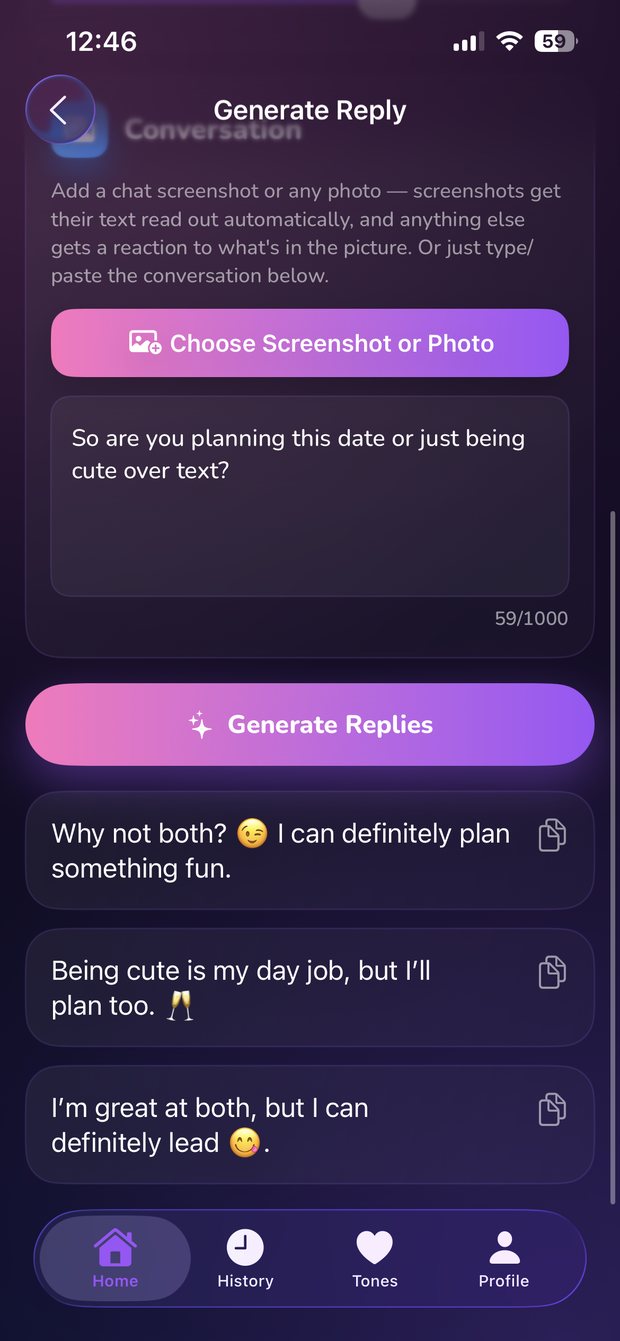
Your call
Every tone below is built in. Tap one to see the same message change.
They said: "so what are you actually doing this weekend? 👀"
Depends… are you trying to make plans with me? 👀
Write a tone in your own words — "dry and sarcastic", "soft and shy", whatever you actually sound like — and Txtor Ai writes to it. Included with Premium.
See Premium →Everything else
Context from the entire conversation, so replies land where the chat actually is.
Attach a screenshot and the text is read on your device — no retyping anything.
A fourth reply where Txtor picks the tone itself, for when you're not sure what fits.
"Dry and sarcastic." "Soft and shy." Describe it in plain words, with Premium.
English, Spanish and Portuguese — and it mirrors your slang, not a textbook.
Every reply is a suggestion. You pick it, you edit it, you press send.
Privacy
Nothing to sign up for and nothing to hand over. Your conversation is sent for a suggestion only when you tap Generate — never in the background. No ads, no trackers, and one tap in Settings wipes everything.
Pricing
Every plan unlocks everything. They differ only in how you'd rather pay.
Suits you if
Suits you if
Suits you if
Every plan includes
The 3-day trial is free and available once per person. Plans renew automatically until cancelled — cancel any time in Settings → Apple Account → Subscriptions. Prices vary by country; you'll see your local price on the App Store.
Stop staring at the keyboard wondering what to say.
Download Txtor AiAvailable for iPhone
 Txtor Ai